Introduction
AI is not difficult because there are no tools.
AI is difficult because there are too many tools.
Every week, beginners hear about a new AI app, a new image generator, a new video engine, a new prompt trick, or a new “must-use” platform. For a beginner, this creates confusion.
Ready to turn these ideas into practical skills? Explore the complete AI course curriculum.
Quick Answer: Why Is AI Lab Access Useful?
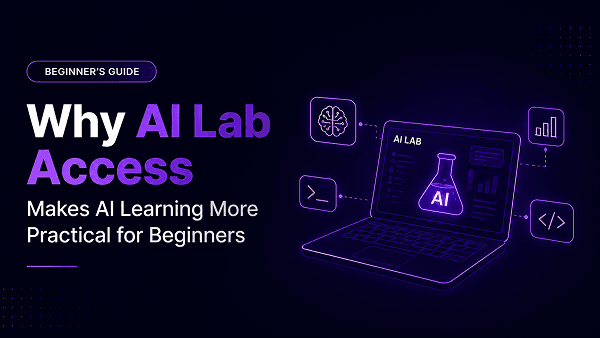
AI Lab access is useful because it gives beginners a guided space to practice practical AI workflows.
Instead of getting lost between multiple tools and subscriptions, learners understand how to use generative AI tools for content creation, image generation, video workflows, product visuals, ad creatives, and campaign assets in a structured way.
The class gives the logic.
The AI Lab gives the practice.
This is the difference between knowing about AI and learning how to use AI.
The Problem With Learning AI Through Random Tools
Most beginners start learning AI in a scattered way.
They watch one tutorial on ChatGPT. Then they try an image tool. Then they see a reel about AI video generation. Then someone recommends another platform. Then they hear about a new AI engine that gives better visuals.
Very quickly, they feel overwhelmed.
The problem is not lack of information. The problem is lack of structure.
A beginner may know the names of ten AI tools and still not know how to create one good campaign asset. A business owner may try multiple tools but still not know how to create a clean product visual. A student may generate images but not understand how to improve them. A marketer may test video tools but not know how to think in scenes, motion, and output quality.
This is where random learning fails.
AI is not learned by jumping from one tool to another.
It is learned by understanding the purpose of each tool, testing outputs, improving prompts, and connecting tools into a workflow.
Why Tool Access Alone Is Not Enough
Many AI courses say they teach tools.
But tool exposure alone is not the same as practical learning.
A learner may get access to a tool and still ask:
* What should I create first?
* Which prompt should I use?
* Why is my image not looking professional?
* Why does my video feel unnatural?
* How do I improve weak output?
* How do I turn one idea into a complete content asset?
Without guidance, tool access can create more confusion.
That is why AI Lab should not be positioned as a software list. It should be positioned as a practice system.
The learner needs to understand:
* What the tool is useful for
* What kind of prompt works better
* How to judge the output
* How to fix weak results
* How to move from first draft to final asset
* How to connect tools into one workflow
This is what makes AI Lab access valuable.
The Real Role of an AI Lab
The real role of an AI Lab is to help learners move from concept to creation.
In class, learners understand the logic. They learn how generative AI works, how prompts should be structured, how different formats behave, and how outputs can be improved.
Inside the AI Lab, they practice that logic.
They test prompts.
They create images.
They compare outputs.
They try video workflows.
They refine weak results.
They understand tool differences.
They learn what works for content, visuals, ads, reels, and product creatives.
This practical exposure is important because AI behaves differently across formats.
A text prompt is not the same as an image prompt.
An image prompt is not the same as a video prompt.
A product visual workflow is not the same as a reel workflow.
A caption prompt is not the same as a campaign asset workflow.
Beginners understand this only when they practice.
What Learners Practice Inside the AI Lab
Inside the AI Lab, learners get guided exposure to useful AI engines and workflows based on the current lab stack.
For AI video generation and image-to-video workflows, learners explore engines such as Kling and WAN. These help them understand motion, scene creation, camera movement, and video experimentation.
For AI image generation and creative visual workflows, learners practice with engines such as Seedream, Nano Banana, and FLUX. These support image creation, visual experimentation, product visuals, and high-quality creative outputs.
For AI video and visual storytelling workflows, learners also get exposure to tools like LTX, where they can understand how scenes, movement, and storytelling work together.
Along with these, the AI Lab can include more AI image and video engines depending on the current lab stack and course requirement.
The goal is not to memorise tool names.
The goal is to understand which AI engine supports which workflow.
AI Lab Helps Learners Move From Tool Confusion to Workflow Clarity
One of the most important beginner skills is not tool selection alone.
It is workflow clarity.
Not every AI tool is useful for every output.
If you want to write a caption, you need a content workflow.
If you want to create a product visual, you need an image generation workflow.
If you want to create motion from an image, you need an image-to-video workflow.
If you want to build a reel concept, you need a combination of script, visual direction, and video workflow.
If you want campaign assets, you may need text, image, and video tools working together.
This is why AI Lab practice matters.
It helps learners stop asking, “Which is the best AI tool?”
Instead, they start asking a better question:
“What workflow do I need for this output?”
That shift is important.
Because in real work, the tool is only one part. The workflow decides the quality of the final asset.
From Random Prompts to Practical Workflows
AI Lab access becomes more powerful when it is connected to a clear workflow.
The workflow every beginner should learn is:
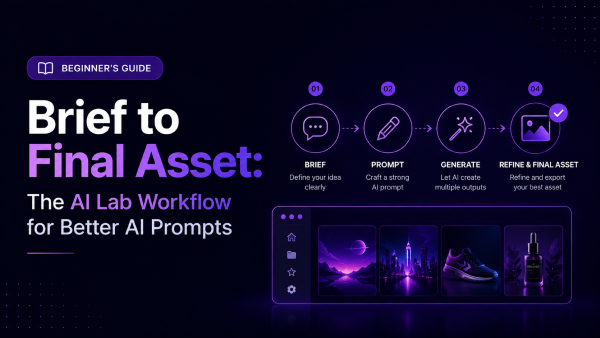
Brief → Prompt → Output → Fix → Refine → Final Asset
This workflow should be practiced across different AI tools.
For example, if a learner wants to create a product visual, the process may look like this:
First, they create a clear brief.
Then they write an image prompt.
Then they generate the output.
Then they check what is wrong.
Then they refine the prompt.
Then they create the final visual.
If they want to create a short AI video, the process changes slightly.
They need to think about scene, motion, camera movement, background, duration, and mood. They may test image-to-video outputs, compare results, and refine the direction.
This is where AI Lab practice helps learners understand the difference between formats.
They do not only learn prompts.
They learn workflows.
Why AI Lab Is Useful for Students
For students, AI Lab access can help turn learning into portfolio-ready output.
Instead of only saying, “I know AI,” students can create examples of work. They can build AI-generated visuals, reel concepts, captions, ad copies, campaign ideas, and simple creative projects.
This helps them show ability, not just interest.
For students entering marketing, design, business, media, or content-related careers, this practical exposure can be valuable because it helps them understand how AI is used in actual work.
A certificate can show completion.
A portfolio shows capability.
Why AI Lab Is Useful for Business Owners
Business owners and MSMEs often do not have the time to explore every new AI tool.
They need practical use cases.
They want to create product visuals, captions, social media posts, ad ideas, campaign content, and marketing assets faster.
AI Lab access helps them understand how AI tools can support everyday business content creation.
They do not need to become designers, editors, or technical AI experts. But they can learn how to create better briefs, generate ideas, test visual directions, and speed up content production.
For a business owner, the value is not tool knowledge.
The value is faster execution.
Why AI Lab Is Useful for Creators, Marketers and Agencies
For creators, marketers, freelancers, and agency teams, AI Lab access supports speed and experimentation.
They can test different creative directions faster. They can generate multiple visual references. They can create reel concepts, product visuals, ad creatives, UGC-style scripts, and campaign ideas.
For agencies, this can improve ideation and production speed.
A campaign that earlier required multiple rounds of references can now begin with AI-assisted concepts. A product visual can be mocked up faster. A video idea can be tested before full production. A content calendar can be supported with scripts, captions, visuals, and ad angles.
AI does not replace creative judgment.
It increases creative possibilities when used with the right workflow.
Why AI Lab Access Should Be Part of a Practical AI Course
A practical AI course should not only teach what AI is.
It should help learners use AI.
That is why AI Lab access becomes a strong differentiator. It makes learning active instead of passive.
Without AI Lab access, learners may watch lessons but not build enough confidence. With guided practice, they understand how tools behave, how outputs change, and how to improve results.
This is why an AI course with AI Lab access is more useful for beginners who want real output.
It combines:
* Structured learning
* Guided practice
* No-code AI tools
* Image and video workflows
* Prompt-to-output refinement
* Content and campaign creation
* Real assignments
* Capstone-style output
The learner does not only consume information.
They create.
What Our Practical GenAI Course Does Differently
The Practical GenAI Course is built for learners who want to create with AI, not just watch AI demonstrations.
It combines live guided learning with AI Lab access so learners can understand the logic in class and practice the workflows inside the lab.
The course focuses on practical creative and business use cases such as:
* Prompt engineering
* AI content creation
* AI image generation
* AI video generation
* Product visuals
* Reel concepts
* Ad creatives
* Captions
* Voiceover scripts
* Campaign assets
* Image-to-video workflows
* Text-to-video workflows
* Final capstone project
It is designed for students, business owners, creators, marketers, freelancers, and agency teams who want to use AI for real work.
No coding is required.
No perfect English is required.
The focus is simple:
Learn AI for real work, not random experiments.
AI Workflow Readiness Checklist: Are You Learning AI the Right Way?
Before joining any AI course, ask yourself whether your current AI learning is structured or scattered.
Use these questions:
* Do you know what output you want before opening an AI tool?
* Can you create a clear brief before writing a prompt?
* Do you know how text, image, and video prompts are different?
* Can you judge whether an AI output is weak or usable?
* Do you know how to refine a poor output?
* Can you turn one idea into multiple content assets?
* Do you understand which workflow is needed for captions, visuals, videos, ads, and campaigns?
* Are you practicing consistently, or only watching tutorials?
* Do you have a final output or project to show your learning?
If most answers are “no,” you do not need more random tools.
You need a guided workflow.
That is exactly why the AI Workflow Readiness Checklist is a useful starting point. It helps you identify whether you are learning AI casually or building the foundation for real creation.
Final Thoughts
AI learning becomes practical when learners stop chasing tools and start building workflows.
That is why AI Lab access matters.
It helps beginners understand how to test prompts, compare outputs, refine results, and turn ideas into real assets using the right structure.
For students, it supports portfolio-building.
For business owners, it supports faster content creation.
For creators and agencies, it supports speed, experimentation, and client-ready workflows.
The best AI learning experience is not only about watching lessons.
It is about practicing with the right tools in the right structure.
If you want to begin, download the free AI Workflow Readiness Checklist and see whether you are learning AI through random tools or building real creation workflows.
And if you want live guidance, AI Lab access, no-code workflows, assignments, and a final project, explore the Practical GenAI Course.
Class gives the logic.
AI Lab gives the practice.
Start Your AI Journey Today
Join India's #1 Generative AI course and master the future of creative intelligence.